A Beginner’s Guide to SEO for Small Business Websites


Some of the links on this website are affiliate links. This means a commission may be earned if you click through and make a purchase, at no extra cost to you.
SEO might sound like something only big companies worry about, but it’s just as useful for any type of business.
At its core, SEO is about helping Google (and other search engines) connect your website with the people searching for what you offer.
Do it well, and you’ll show up higher in search results, bringing more visitors, and potential customers, to your site. Make some common SEO mistakes and your rankings will suffer.
In this guide, I’ll walk you through the essentials in plain English, with easy steps you can follow today.
Step 1: Choose the right keywords
Keywords are the words or phrases people type into search engines when looking for something. Choosing the right keywords is crucial because they help search engines understand what your website is about.
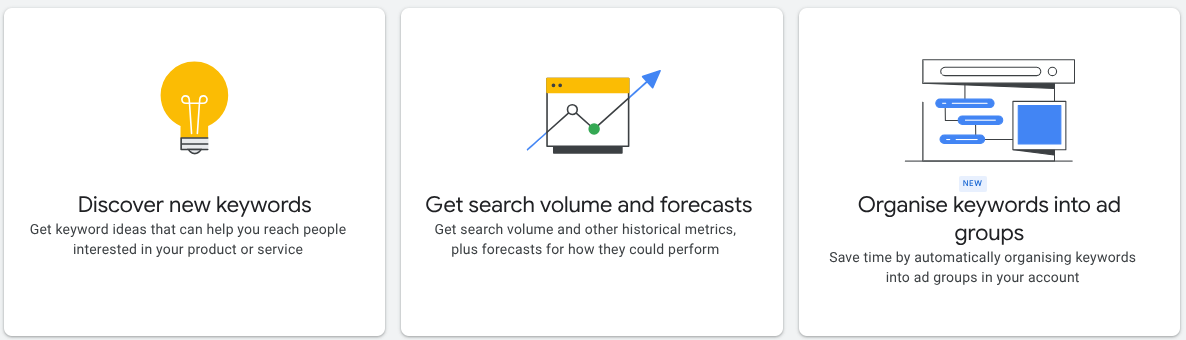
How to choose keywords:
- Think like your customer: What words would they use to find your products or services?
- Use a keyword tool: Tools like Google Keyword Planner or Ubersuggest can help you find popular keywords related to your business.
- Focus on specific keywords: Instead of targeting broad terms like “photographer”, go for something more specific like “wedding photographer Manchester.”
Once you have your keywords, use them naturally in your website content, including in headings, page titles, and descriptions.
Step 2: Optimise your website content
Your website content is one of the most important factors for SEO.
High-quality, relevant content not only helps with rankings but also engages your visitors.
Tips for optimising content:
- Create valuable content: Write blog posts, product descriptions, and service pages that answer your customers’ questions or solve their problems.
- Include keywords: Use your chosen keywords naturally throughout your content, but avoid “keyword stuffing”, which means overloading your content with keywords.
- Use headings and subheadings: Break up your content with clear, descriptive headings (like the ones in this guide). It makes your content easier to read and helps search engines understand your page structure.
Step 3: Create and optimise service pages
A service page is a dedicated page on your website that focuses on one specific service you offer.
For example, if you’re an events photographer, you might have separate pages for corporate events, parties, business launches and exhibition openings. Each one of these pages would focus on one type of event and speak directly to the searcher.
You could also create location-based pages such as events photographer Manchester (city), events photographer Stockport (nearby town), or events photographer Chorlton (local suburb), to help with local SEO.
That said, you don’t need to create a page for every single suburb in your area. Google is smart enough to understand local context. A handful of well-written, useful service pages is far better than dozens of near-identical ones.
Tip: Use a consistent template for your service pages, but avoid copy-pasting the same text. Make each page slightly different by adding details about the location, customer reviews, or specific examples of work you’ve done. This keeps your content unique and valuable.
- Better for Google: Search engines prefer pages that match specific searches. A page about “events photographer Manchester” has a much better chance of ranking than a single “services” page that lists everything you do.
- Clear for customers: Visitors don’t want to hunt around. A focused service page makes it easy to find the exact information they need.
- Builds trust: Service pages give you room to explain the benefits, answer common questions, and show proof (photos, reviews, guarantees). This helps turn visitors into customers.
- More chances to rank: The more quality service pages you have, the more keywords you can target. Instead of one page trying to do it all, you’ll have multiple opportunities to appear in search results.
Optimise each page with a clear headline, an engaging description of the service, local keywords (if relevant), and a call to action such as “Get a free quote” or “Book a consultation.”
Step 4: Improve your website’s user experience
Search engines like Google prioritise websites that offer a good user experience. This means your site should be easy to navigate, fast, and mobile-friendly.
How to improve user experience:
- Ensure your site is mobile-friendly: More people are browsing on their phones, so make sure your website looks good and functions well on all devices. Try it yourself – click on buttons, use the menu, fill out a form. If anything doesn’t work or feels clunky, fix it yourself or hire someone to do it for you.
- Speed up your site: A slow website can frustrate visitors and hurt your rankings. Use tools like Google PageSpeed Insights to check your site speed and get tips for improvement. Pages should fully load within three seconds to keep visitors happy. Check out our guide on how to speed up a WordPress website.
- Simplify navigation: Make it easy for visitors to find what they’re looking for. Use clear menus and a simple structure.
Step 5: Get quality backlinks
Backlinks are links from other websites that point to your site. They act like votes of confidence, showing search engines that your site is trustworthy and valuable.
How to get backlinks:
- Create shareable content: High-quality blog posts, infographics, original data or research, charts, how-to guides, videos, checklists and online calculators are more likely to be linked to by others.
- Reach out to local businesses: Partner with other businesses in your area and ask if they would link to your site.
- Online business directories: List your business in online directories like Yell, Thompson Local and Scoot. And make sure you claim/create your own Google Business Profile page.
Step 6: Monitor your progress
SEO isn’t a one-time task; it’s ongoing. Regularly monitoring your website’s performance helps you see what’s working and what needs improvement.
Final tips
- Be patient: SEO takes time. It can take a few months to see significant results, so don’t get discouraged.
- Keep learning: SEO trends and best practices evolve. Stay updated by following reputable SEO blogs or taking online courses.
- Consider professional help: If you’re short on time or feel overwhelmed, hiring an SEO professional can be a wise investment.
By following these steps, you’ll be on your way to improving your website’s SEO and attracting more visitors to your small business. Remember, the key to SEO success is consistency. Pay attention to technical SEO issues, keep optimising and stay patient and your efforts will pay off.
SEO tools
You don’t need all of these tools. Start with the free ones, and only consider paid tools once your business is ready to invest in SEO more seriously.
Free SEO tools
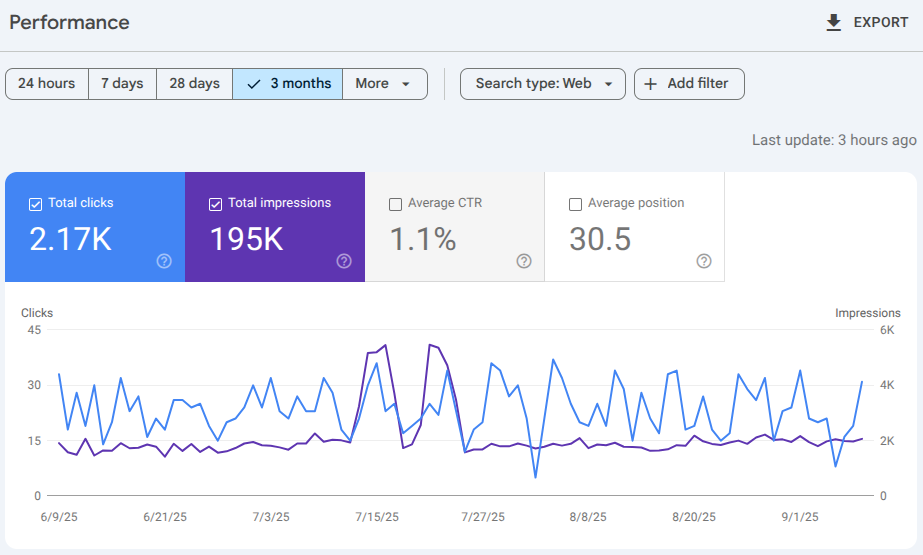
- Google Search Console – shows how Google views your site, what keywords bring visitors, and any issues to fix.
- Google Analytics – tracks where visitors come from and which pages they like most.
- Ubersuggest – quick way to check keyword ideas and see what competitors are ranking for (limited information on the free plan).
- PageSpeed Insights – tests how fast your site loads on mobile and desktop, with tips for improvement.
- Ahrefs Webmaster Tools – free site audit and backlink checker, very useful for spotting technical issues.
Three of the best paid SEO tools
- Ahrefs – excellent for backlink analysis, keyword research, and competitor tracking.
- SEMrush – all-in-one tool covering SEO, PPC, content marketing, and social media insights.
- Moz Pro – user-friendly suite for keyword tracking, site audits, and link building.
Three of the best paid local SEO tools
- BrightLocal – specialist platform for tracking local rankings, auditing citations, and managing reviews.
- Whitespark – excellent for finding citation opportunities and monitoring local search performance.
- Local Falcon – powerful grid-based rank tracker that shows exactly how your business ranks across different locations.
Featured image by AS Photography via Pexels
Join the Medlock Web Community
Fortnightly advice for small business owners who want more traffic, more leads, and more visibility online. Practical tips on local SEO, Google Business Profile, and getting your website working harder — straight to your inbox every two weeks. No jargon, no spam, unsubscribe any time.